

Managed Opik, ready when you are.
Debug, evaluate, and monitor your LLM applications, RAG systems, and agentic workflows with comprehensive tracing, automated evaluations, and production-ready dashboards. It runs on BetterMade infrastructure with your domain, and our partner Octane Software sets it up and keeps it updated and maintained.
See it in action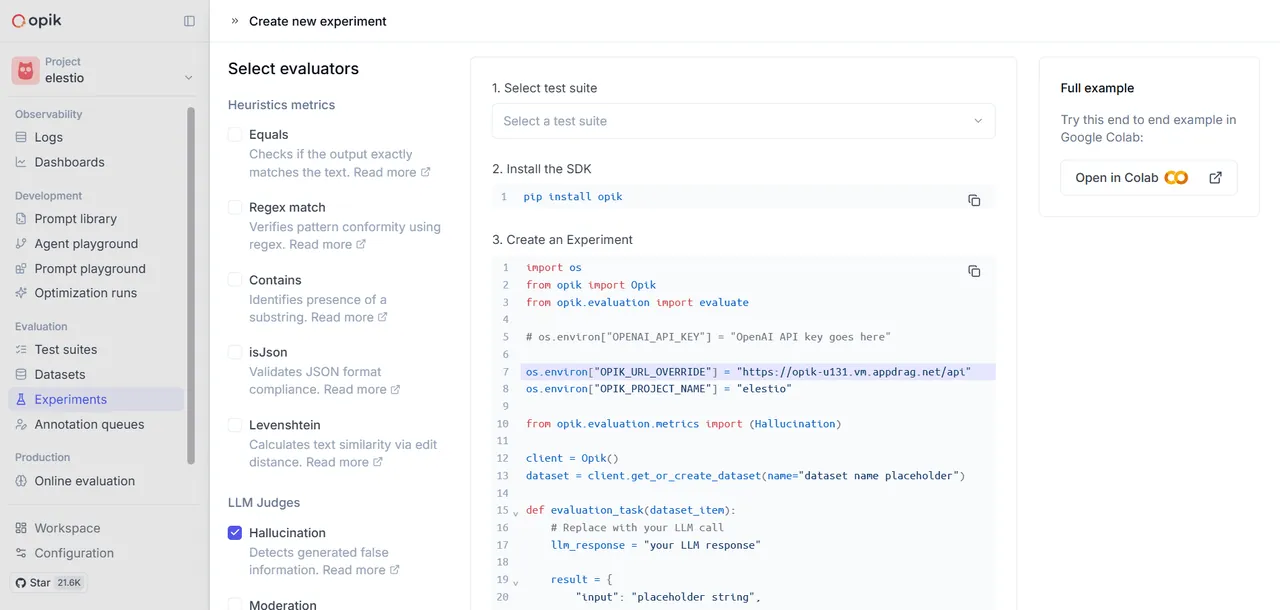
What is included
Ready to use from day one
Debug, evaluate, and monitor your LLM applications, RAG systems, and agentic workflows with comprehensive tracing, automated evaluations, and production-ready dashboards.
Hosted for you
Opik runs on BetterMade infrastructure and is connected to your domain with SSL.
Installed by Octane Software
Octane Software installs and configures Opik and sets up your first admin login.
Always up to date
Octane Software applies Opik updates and handles all ongoing maintenance.
Backed up and monitored
Backups and uptime monitoring help keep Opik safe and available.
Who does what
Three parts, one service
Your app runs on BetterMade infrastructure. Our partner Octane Software handles the professional services: setup, updates and ongoing maintenance. Only Octane Software maintains and updates managed apps.
- The server your app runs on
- Network and uptime
- Your domain and SSL certificate
- Billing and your account
- Installing and configuring Opik
- Applying Opik updates
- Ongoing maintenance and fixes
- Backups and monitoring of the app
- Using Opik for your own work
- Connecting the accounts you need
- Inviting your team
- Choosing your Opik settings
Product tour
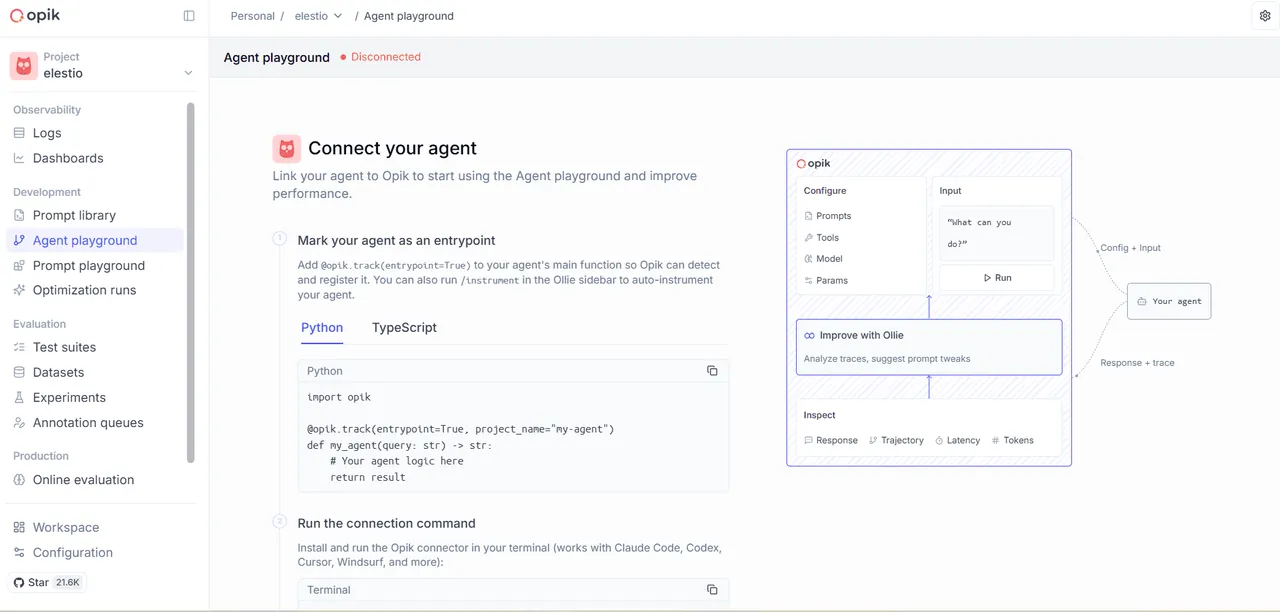
See Opik in action
Screenshots that show what Opik looks like.
How it works
Live in three steps
No server setup, no command line. Check out, and Octane Software handles the install so you can start building.
-
Choose an app
Pick an app from the directory, or request one that isn’t listed yet.
-
Check out securely
Pay online and Octane Software gets to work setting up your app on BetterMade infrastructure.
-
Log in and use it
Your app goes live at your domain with SSL. Octane Software handles every update and all ongoing maintenance.
FAQ
Opik questions, answered
What to know before you get started with managed Opik.
What is Opik?
Debug, evaluate, and monitor your LLM applications, RAG systems, and agentic workflows with comprehensive tracing, automated evaluations, and production-ready dashboards.
Do I need to know how to code?
No. There is no server setup and no command line. Octane Software installs Opik for you, so you can log in and start using it.
Will Opik run on my own domain?
Yes. Your app goes live at your domain with SSL, and it runs on BetterMade infrastructure.
Who sets up and maintains my Opik?
Octane Software, our professional services partner, installs Opik, applies updates and handles all ongoing maintenance. Your instance runs on BetterMade infrastructure.
Do you do the day-to-day work in Opik for me?
No. Octane Software sets up and maintains Opik so it’s ready to use, and the day-to-day use is up to you.
More apps
Pairs well with Opik
- Developer tools
Bytebase
Bytebase is an open-source database CI/CD tool for developers and DBAs.
View app - Developer tools
Centrifugo
Centrifugo is a scalable real-time, language-agnostic messaging server.
View app - Developer tools
Checkmate
Checkmate is an open-source, self-hosted tool designed to track and monitor server hardware, uptime, response times, and incidents in real-time with beautiful visualizations.
View app - Developer tools
CI/CD Target
Deploy one or multiple CD/CD pipelines to a target node
View app


Ready to put Opik to work?
Check out in a few minutes, or book a call first to talk through what you want to set up.
Runs on BetterMade infrastructure Managed by Octane Software